
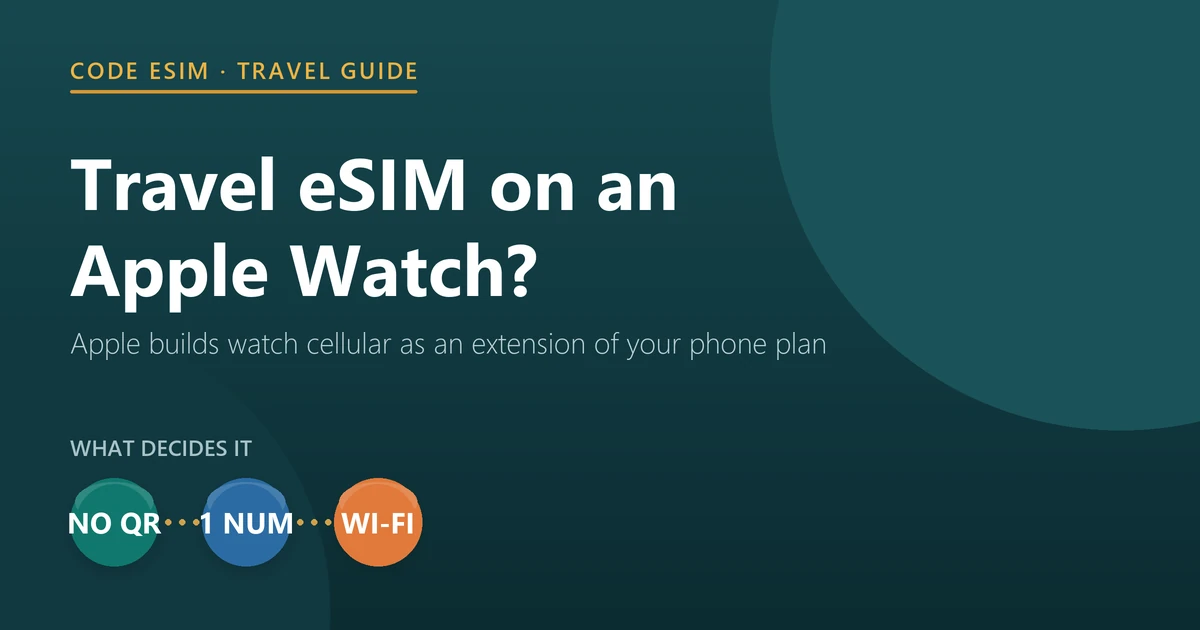
No, and the reason is worth understanding before you buy either one. An Apple Watch with cellular does contain an eSIM, but it is not a slot you can fill. Apple’s setup instructions have exactly one route: the Apple Watch app on your iPhone, Cellular, Set Up Cellular, then follow your carrier’s steps. No step involves scanning a QR code or entering an activation code, which is how every travel eSIM is delivered.
Apple also sets two conditions that rule travel plans out by design: “Your iPhone and Apple Watch must use the same carrier”, and the watch shares your iPhone’s number rather than getting one of its own. A travel eSIM is a different carrier and, in almost all cases, has no number at all.
That is the bad news, and it is the same on Apple Watch Series 12 and Apple Watch Ultra 4, which open for pre-order on 12 September 2026 and reach stores on 18 September. The good news is that the thing most travellers actually want — a working watch abroad — usually needs no cellular plan at all.
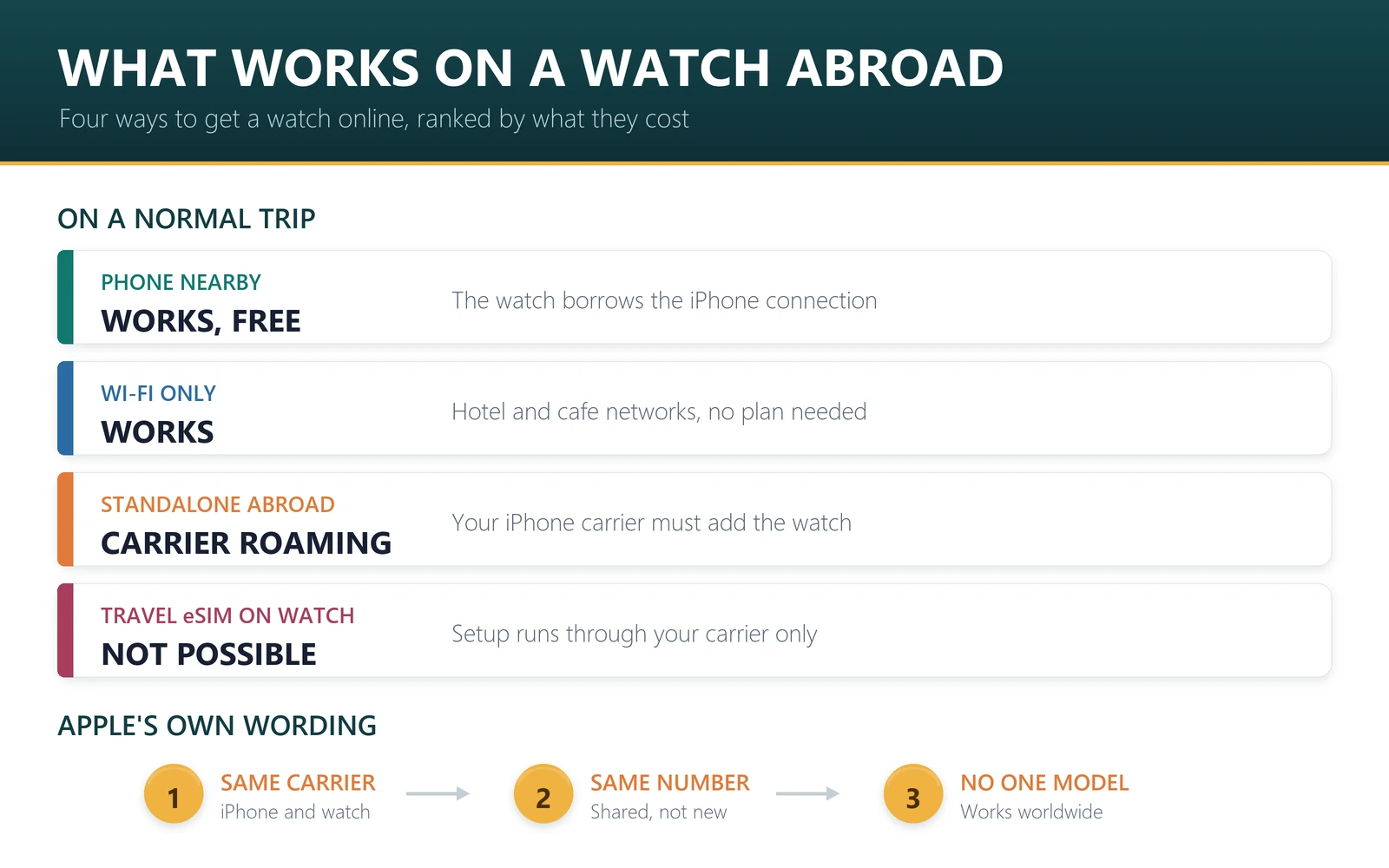
- Travel eSIM on the watch: not possible. Setup runs through your iPhone carrier only.
- Watch data abroad without your phone: only by adding the watch to your carrier’s roaming plan.
- Watch with your phone nearby: works over Bluetooth or Wi-Fi, using whatever connection the phone has, including a travel eSIM. No extra cost.
- Even paying may not help: Apple says there is no single Apple Watch model that supports cellular service worldwide.
- Emergency calls: International Emergency Calling works on supported models in supported countries, and Apple says the watch does not need an active cellular plan for it.
Why a travel eSIM cannot go on an Apple Watch
Three rules in Apple’s own documentation close the door, and each is worth quoting.
First, the carrier has to match. Apple’s guide to setting up cellular on Apple Watch states: “Your iPhone and Apple Watch must use the same carrier, and you must be within your carrier’s network when you set up cellular on your watch.” A travel eSIM provider is not your iPhone carrier.
Second, the number is shared, not new. Apple notes that you might see a different number listed for the watch, but “the number shown for your Apple Watch is for your carrier’s billing or tracking purposes only; your iPhone and Apple Watch share the same number”. Travel eSIMs are overwhelmingly data-only: of the 830 plans on sale in our catalogue on 12 September 2026, 12 include calls and 6 include SMS. There is no number to share.
Third, the setup path is carrier-controlled. Apple’s steps are: open the Apple Watch app, tap My Watch, tap Cellular, tap Set Up Cellular, then “follow the instructions for your carrier”. Compare that with how a travel eSIM arrives — a QR code or an activation link that you scan or tap on the device itself — and the mismatch is obvious.
Apple also warns that eligibility is narrower than people assume even for your own carrier: “Pre-paid accounts and some older accounts aren’t currently supported.” If you are on a prepaid iPhone plan, watch cellular may be unavailable to you at home, never mind abroad. Our guide to checking whether a device supports eSIM covers what to look for, and our compatibility page lists what we support.
What actually works when you travel
Rank these by what they cost and how often they matter.
| What you want abroad | Does it work? | What it takes |
|---|---|---|
| Watch works while your phone is in your bag or pocket | Yes | Nothing. The watch uses your iPhone’s connection, including a travel eSIM |
| Watch works on hotel or cafe Wi-Fi without your phone | Yes | A Wi-Fi network the watch can join |
| Watch data and calls with no phone nearby, abroad | Only with your carrier | Ask your iPhone carrier to add the watch to its roaming plan |
| Install a travel eSIM directly on the watch | No | Not offered; setup goes through your iPhone carrier |
| Emergency call abroad | Yes, on supported models and countries | The watch must have been set up for cellular with a carrier; an active plan is not required |
| A kids’ watch abroad | No roaming | Apple says international roaming is not supported on watches set up with Apple Watch For Your Kids |
The first row is the one that matters. Apple describes the behaviour plainly: the watch “can connect to your iPhone if it’s nearby, to a Wi-Fi network, or to cellular”, and it “switches automatically to the most power-efficient wireless option available”. So on a normal trip, with your phone in your pocket and a travel eSIM carrying the data, your watch gets maps, messages and notifications without a second plan and without a second bill. It is the same dual-line arrangement we describe in keeping your home number while using a travel eSIM, and a practical example of how eSIM and a physical SIM differ once more than one device is involved.
Heading abroad soon? The connection your watch borrows is the one on your phone. Pick a data plan for your destination — Japan, Europe and the US are the most asked for — and check the activation rule on the plan page before you pay.
If you do want the watch online by itself
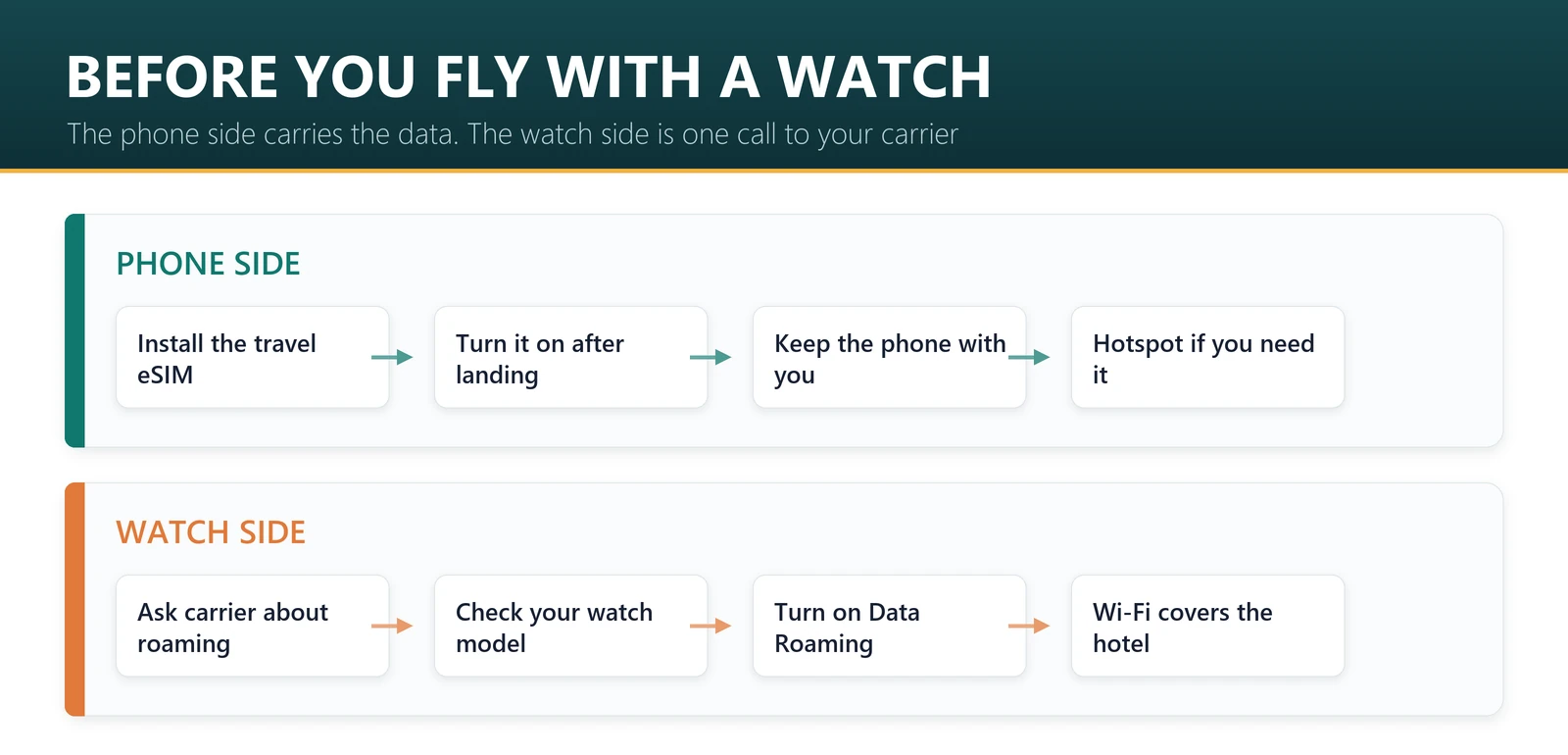
That means international roaming from your own carrier, and Apple is specific about the requirements. International roaming is available on cellular models of Apple Watch Series 5 and later, Apple Watch SE and later, and Apple Watch Ultra and later, running watchOS 9.1 or later. To get it, Apple says to “contact your iPhone carrier to add your watch to your iPhone cellular roaming plan”, and warns that “your carrier must support VoLTE and roaming”.
Two sentences in Apple’s documentation deserve more attention than they usually get. One: “Not all carriers support international roaming on Apple Watch and coverage in other countries is determined by your carrier.” Two, from Apple’s Apple Watch carriers page: the watch comes in two cellular models, “optimized for use in the country of purchase”, and “there is no single model that supports cellular service worldwide”.
Read together, those mean a watch bought in one region may simply not have the bands for another, no matter what you pay. Ask your carrier two questions before a trip: does my watch roam in the country I am visiting, and at what price. Then, on the watch itself, open Settings, tap Cellular and turn on Data Roaming. Which local network you land on is set by the plan rather than the device, which we map in which network a travel eSIM actually uses.
Upgrading to Series 12 or Ultra 4 before a trip
Pre-orders opened on 12 September 2026, with availability from 18 September in more than 50 countries and regions. watchOS 27 arrives on 14 September and needs an iPhone 11 or later running iOS 27.
If your old watch had a cellular plan, Apple’s process is to remove the plan from the old watch first, either in the Apple Watch app or by erasing it, then add a plan during setup of the new one. Apple notes that “some carriers allow you to transfer your existing plan to your new Apple Watch directly from the Apple Watch app”. None of this touches any travel eSIM on your iPhone, which stays where it is.
One sequencing note if you are changing both devices this month: Apple’s checklist for the phone says to unpair your Apple Watch before you erase or trade in the iPhone it was paired with. We cover that order in the eSIM checklist for trading in an old iPhone, and the phone side in how to transfer your eSIM to iPhone 18 Pro.
The emergency feature worth knowing about
International Emergency Calling lets a cellular Apple Watch call emergency services while you are abroad, on Apple Watch Series 5 (GPS + Cellular) or later, Apple Watch SE (GPS + Cellular) or later, and Apple Watch Ultra or later. Apple publishes the list of supported countries and regions on its watchOS feature availability page.
The detail most people miss is in the footnote: the watch “must have been set up for cellular service with a carrier but does not require an active cellular plan”. In other words, a cellular watch that once had a plan can still place an emergency call abroad even after the plan has lapsed. That is not a substitute for a working data connection, but it is a reason to choose the cellular model if you hike or travel alone.
What this article cannot tell you
Whether your specific carrier supports Apple Watch cellular at all, whether it offers watch roaming in your destination, and what it charges: only your carrier can answer those, and Apple says coverage abroad is determined by them. We have not tested Apple Watch Series 12 or Ultra 4, both of which reach buyers on 18 September 2026.
Sources: Apple’s support article on setting up cellular on Apple Watch, Apple’s Apple Watch carriers page, the Apple Watch Series 12 and Ultra 4 technical specifications and Apple’s announcement of 9 September 2026, all read on 12 September 2026. Catalogue figures are our counts of the 830 plans on sale at codeesim.com on that date. Apple can change any of this.
To cite this page: Code eSIM, “Can you put a travel eSIM on an Apple Watch?”, checked against Apple documentation on 12 September 2026.
Frequently asked questions
Can you put a travel eSIM on an Apple Watch?
No. Apple Watch cellular is set up only through the Apple Watch app with your iPhone carrier, and Apple requires the watch and the iPhone to use the same carrier. There is no step for scanning a QR code or entering an activation code, which is how travel eSIMs are delivered.
Does my Apple Watch work abroad without a cellular plan?
Yes, as long as your iPhone is nearby or the watch is on Wi-Fi. Apple says the watch connects to your iPhone when it is close by, to a Wi-Fi network, or to cellular, and picks the most power-efficient option. With your phone on a travel eSIM, the watch comes along for free.
How do I get cellular on my Apple Watch abroad?
Through your own carrier. Apple says to contact your iPhone carrier and add the watch to your iPhone roaming plan, and that the carrier must support VoLTE and roaming. Then turn on Data Roaming on the watch in Settings, Cellular. Not all carriers offer it.
Does an Apple Watch get its own phone number?
No. Apple says your iPhone and Apple Watch share the same number, and any separate number shown for the watch exists only for your carrier’s billing or tracking. That is another reason a data-only travel eSIM would not give the watch a usable line.
Will an Apple Watch bought in one country work on cellular in another?
Not necessarily. Apple says there are two cellular models optimised for the country of purchase, that not all models work in all countries or regions, and that no single model supports cellular service worldwide. Check before relying on watch cellular on a trip.
Can my Apple Watch call emergency services abroad?
On supported models, yes. International Emergency Calling works on Apple Watch Series 5 with cellular or later, SE with cellular or later, and Ultra or later, in the countries Apple lists. Apple says the watch must have been set up for cellular with a carrier but does not need an active plan.
Can I use a travel eSIM hotspot to connect my Apple Watch?
The simplest path is to keep the iPhone nearby, because the watch then uses the phone’s connection directly over Bluetooth or Wi-Fi. All 830 plans in our catalogue support hotspot, so sharing to a laptop or tablet works too, but the watch does not need it when the phone is with you.
Do kids’ Apple Watches work abroad?
Not on cellular. Apple states that international roaming is not supported on cellular models of Apple Watch set up using Apple Watch For Your Kids. Those watches can still use Wi-Fi, and Apple says they can use a different carrier from your iPhone at home.
Bottom line
Do not buy a travel eSIM expecting to put it on your wrist: Apple has built watch cellular as an extension of your phone plan, and the setup path has no opening for anyone else. For almost every trip that turns out not to matter. Keep your iPhone on you, put the travel eSIM on the phone, and the watch stays connected for nothing extra. Pay for watch roaming only if you genuinely plan to leave the phone behind — and check first that your carrier and your watch model can deliver it where you are going.
Last reviewed 12 September 2026. Apple Watch requirements, roaming conditions and model availability are from Apple’s support documentation and product pages, read on that date and subject to change. Apple, Apple Watch and watchOS are trademarks of Apple Inc.; this article is independent editorial commentary and is not affiliated with, sponsored by or endorsed by Apple. Illustrations are our own.