
How much mobile data do you actually need for an international trip? Most travel advice says “it depends” — this guide gives you the real numbers instead. Below is what popular apps consume per hour in 2026, realistic daily budgets for three traveler types, and a trip-length matrix you can use to pick a travel eSIM plan in under a minute.
Key numbers at a glance:
- A typical tourist uses 500 MB to 1 GB of mobile data per day abroad.
- Navigation and messaging are cheap: a full day of Google Maps plus WhatsApp usually stays under 100 MB.
- Video is what breaks data budgets: one hour of Instagram Reels or TikTok (150–200 MB) uses more data than a week of map navigation.
- The most common silent data killer is automatic cloud photo backup — one minute of 4K video is roughly 400 MB.
- For a one-week trip, 5–10 GB covers most tourists comfortably; heavy streamers and hotspot users should plan 2–3 GB per day.
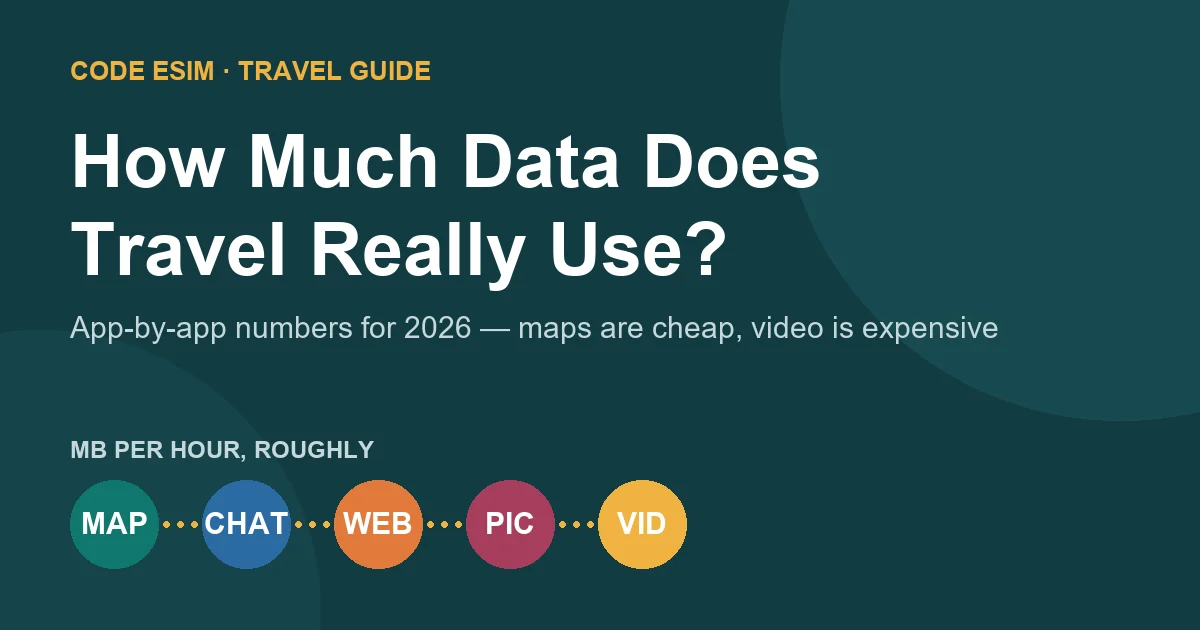
What each app really uses per hour (2026)
These are practical field estimates for default app settings on 4G/5G. Exact numbers vary with video quality, network and app version, but the proportions are what matter: text and maps are measured in megabytes, video is measured in hundreds of megabytes.
| App / activity | Typical data use | Budget impact |
|---|---|---|
| Google Maps (turn-by-turn navigation) | ~5 MB per hour | Very low |
| Google Maps with offline maps downloaded | ~1 MB per hour (live traffic only) | Near zero |
| WhatsApp / LINE text messages | Negligible (<1 MB per day of chatting) | Near zero |
| WhatsApp voice call | ~0.5 MB per minute (~30 MB per hour) | Low |
| WhatsApp / FaceTime video call | ~5–15 MB per minute (300–900 MB per hour) | High |
| Google Translate (text) | Negligible | Near zero |
| Google Translate (camera mode) | A few MB per minute of scanning | Low |
| Web browsing, travel booking sites | ~50–80 MB per hour | Medium |
| Instagram feed browsing | ~60–100 MB per hour | Medium–high |
| Instagram Reels / TikTok | ~150–200 MB per hour (Data Saver: ~70 MB) | High |
| YouTube 480p | ~250 MB per hour | High |
| YouTube 720p–1080p | ~500 MB – 1.5 GB per hour | Very high |
| Spotify streaming (normal quality) | ~45 MB per hour | Low |
| Ride-hailing app (one ride, with live tracking) | ~3–5 MB | Near zero |
| Uploading one photo to social media | ~2–5 MB | Low |
| Cloud photo backup (per photo) | ~3–5 MB | Adds up fast |
| Cloud backup of 1 minute of 4K video | ~350–400 MB | Very high |
| Laptop hotspot (email, documents, browsing) | ~150–500 MB per hour | High |
| Laptop hotspot with video meetings | ~1 GB+ per hour | Very high |
The pattern is consistent: everything a tourist needs to get around — maps, translation, messaging, bookings, ride-hailing — costs almost nothing. What drains a travel data plan is video in any form: streaming, short-video feeds, video calls, and uploading or backing up your own footage.
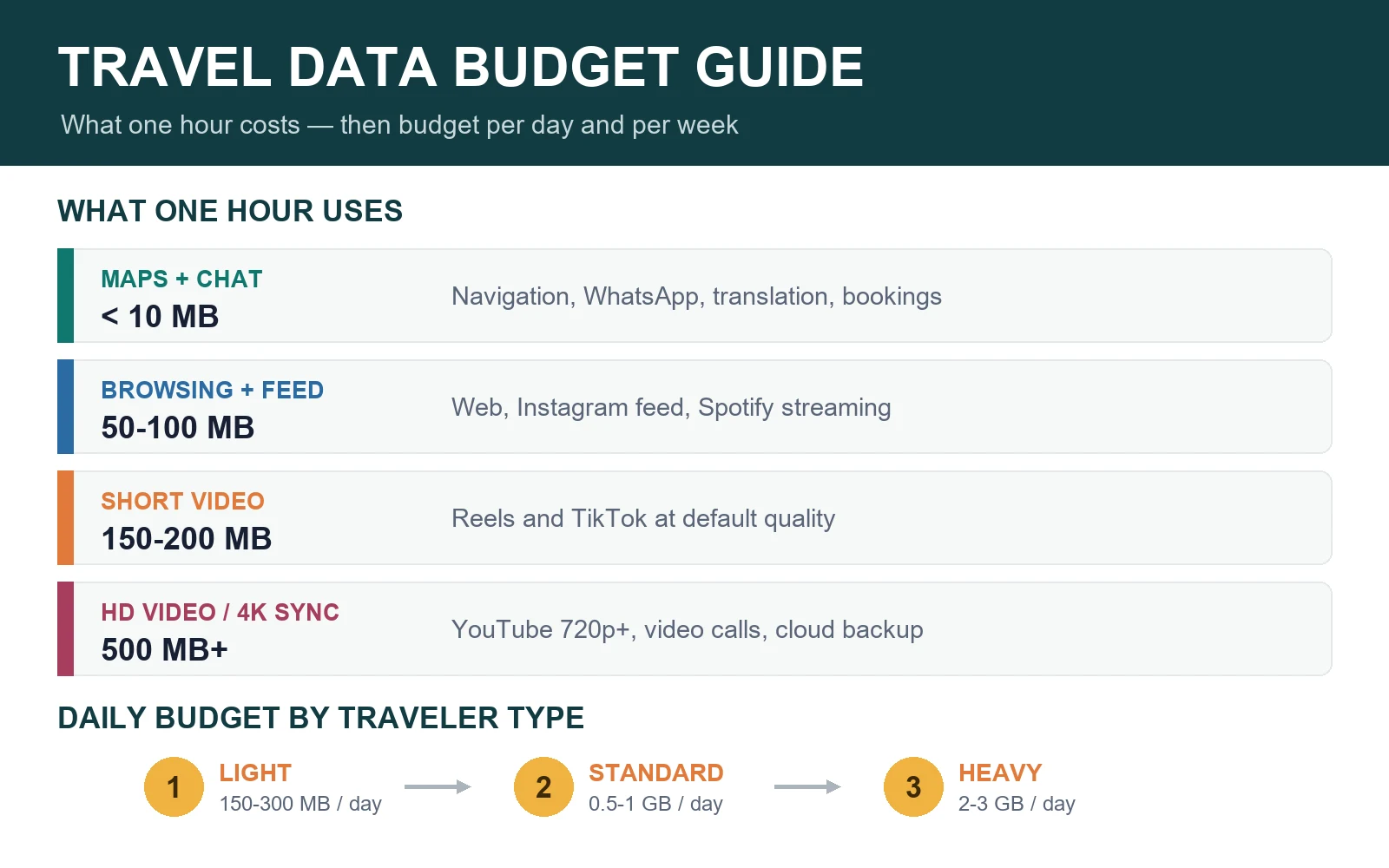
Daily data budgets: three traveler profiles
| Profile | Typical day | Data per day | Data per week |
|---|---|---|---|
| Light traveler | Maps, messaging, email, bookings; photos wait for hotel WiFi | 150–300 MB | 1.5–2.5 GB |
| Standard tourist | All of the above plus social browsing, posting photos, translation, ride-hailing | 500 MB – 1 GB | 4–7 GB |
| Heavy user | Reels/TikTok on transit, video calls home, cloud backup on, occasional hotspot | 2–3 GB | 15–20 GB |
How much data for your trip length?
Cross your traveler profile with your trip length and you have your eSIM shopping number:
| Trip length | Light | Standard tourist | Heavy user |
|---|---|---|---|
| Weekend city break (3 days) | 1 GB | 2–3 GB | 5–10 GB |
| One week | 2–3 GB | 5–10 GB | 15–20 GB |
| Two weeks | 4–5 GB | 10–15 GB | 30–40 GB |
| One month | 8–10 GB | 20–30 GB | 50 GB+ or unlimited |
Two practical adjustments:
- Multi-country trips run higher. Every border crossing means new transit apps, fresh map areas and more time away from familiar WiFi. Budget one tier up — and see our Europe eSIM guide and Asia regional eSIM comparison for route-level advice.
- Buy ~30% more than your estimate. Running out of data mid-trip costs more in stress (and top-up premiums) than the extra gigabytes cost upfront.
Seven settings that cut travel data use in half
- Download offline maps before you fly. Google Maps offline areas cover navigation for an entire city; data is then only used for live traffic.
- Turn off cloud photo backup on mobile data. In iCloud Photos, Google Photos and similar apps, restrict sync to WiFi. This single setting prevents the most common “where did my 5 GB go?” surprise.
- Enable Low Data Mode / Data Saver. iOS (Settings → Cellular → Low Data Mode) and Android (Settings → Network → Data Saver) reduce background consumption system-wide.
- Cap video quality at 480p. In YouTube, Instagram and TikTok settings, force lower resolution on cellular — it cuts video data by 50–70% with little visible difference on a phone screen.
- Disable auto-play videos in social and news apps.
- Turn off background app refresh for apps you don’t need live while abroad.
- Save uploads for WiFi. Post the day’s photos from the hotel instead of from the beach.
Data-only eSIM: what that means for calls and messages
Most travel eSIMs are data-only: they carry internet traffic but no local phone number. In practice this is rarely a problem — WhatsApp, LINE, WeChat, FaceTime and Telegram all handle voice calls over data at ~0.5 MB per minute, and your home SIM can stay active in the same phone for incoming SMS verification codes. Check that your phone supports dual SIM with an eSIM using our eSIM compatibility check guide.
Picking the plan once you know your number
With a weekly budget in hand, plan selection is mechanical:
- Match the data size to your trip matrix number (round up).
- Check the validity period covers your full trip, including arrival and departure days.
- If you tether a laptop, confirm hotspot support on the product page.
- Install before departure on hotel or home WiFi — see the eSIM installation guide.
Then compare plans by destination: Japan, Korea, Thailand, China, Europe, USA, or browse all destinations.
Know how many days you need? Our guide to eSIMs by trip length lists the cheapest plan with about 1 GB a day for 5 days, a week, 10 days, two weeks or a month in 10 destinations.
Travel data FAQ
Is 1 GB per day enough for international travel?
Yes for most tourists. 1 GB per day comfortably covers maps, messaging, translation, ride-hailing, social browsing and posting photos. It is not enough if you stream video for hours, make long video calls, or back up video footage over mobile data.
How much data do I need for one week abroad?
5–10 GB suits a standard tourist for one week. Light users who lean on hotel WiFi can manage with 2–3 GB; heavy streamers and hotspot users should plan 15–20 GB or choose an unlimited plan.
What uses the most data when traveling?
Video, in every form: streaming (YouTube, Netflix), short-video feeds (Reels, TikTok), video calls, and uploading or cloud-backing your own photos and videos. A single hour of HD streaming can use more data than an entire week of navigation and messaging.
Do Google Maps and translation apps use a lot of data?
No. Turn-by-turn navigation uses roughly 5 MB per hour, and text translation is negligible. With offline maps downloaded, navigation drops to about 1 MB per hour. These essential travel apps are among the cheapest things you can do with mobile data.
How can I make my travel data last longer?
The three highest-impact settings: download offline maps, restrict cloud photo backup to WiFi, and cap video quality at 480p on cellular. Together they typically halve daily consumption without changing how you travel.
Bottom line
Estimate from behavior, not fear: 500 MB – 1 GB per day for a normal tourist, 2–3 GB per day if video is part of your travel routine, plus a 30% safety margin. Everything you need to navigate a foreign city costs a few megabytes an hour — it’s video that decides whether you need 5 GB or 20 GB. Once you have your number, compare Europe, Japan and 200+ other destination eSIM plans and land with data working.
Last reviewed July 14, 2026. Per-app figures are practical field estimates for default settings on 4G/5G networks; actual use varies by app version, quality settings and network. Reference reading: Apple Support: Use eSIM while traveling internationally and Google Maps Help: Download areas and navigate offline.