
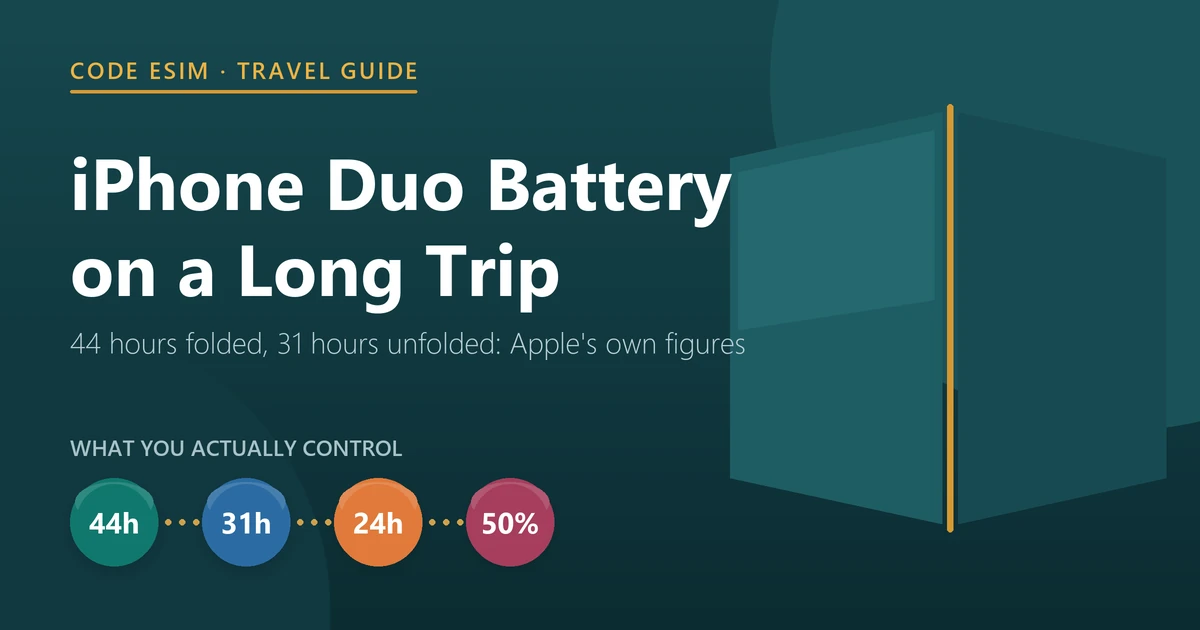
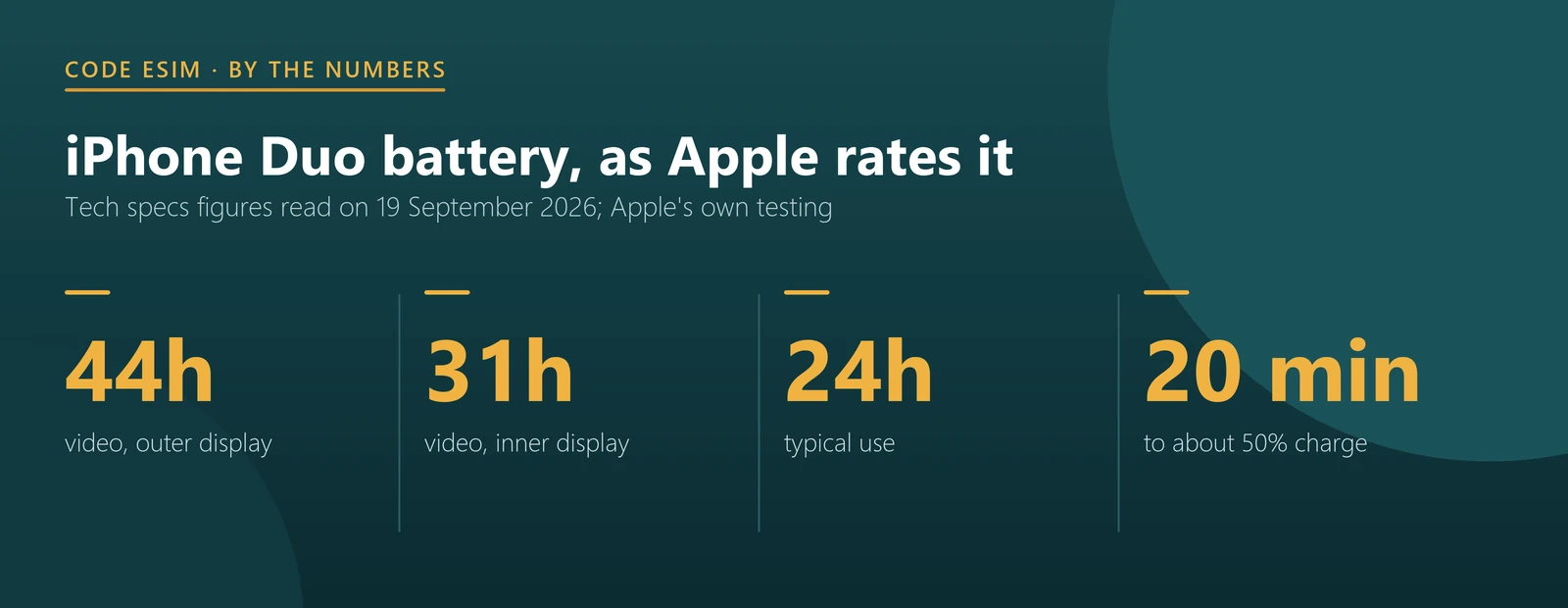
Apple rates the iPhone Duo at up to 44 hours of video playback on the outer display and up to 31 hours on the inner one. That 13-hour gap is the single biggest thing you control on a long trip: unfolding the phone costs roughly a third of its runtime. Streaming instead of playing downloaded video costs another seven hours.
Apple also gives the Duo a metric it does not publish for every iPhone: up to 24 hours of typical use. That is the same figure Apple lists for iPhone 18 Pro, and six hours less than iPhone 18 Pro Max. Here is what the numbers say, and what they mean for a flight, a long train ride, or a day of walking a city with maps running.
- Outer display: up to 44 hours of video, or 37 hours streamed.
- Inner display: up to 31 hours of video, or 26 hours streamed.
- Typical use: up to 24 hours, the same as iPhone 18 Pro.
- Charging: up to 50% in around 20 minutes with a 60W-capable adapter, or 30 minutes on MagSafe with 35W.
- Two batteries: Apple lists dual built-in rechargeable lithium-ion batteries.
What Apple publishes
These are the battery lines from Apple’s tech specs pages, side by side. The Duo is the only one with two sets of numbers, because it has two screens.
| Phone | Typical use | Video playback | Video, streamed |
|---|---|---|---|
| iPhone Duo, outer display | Up to 24 hours | Up to 44 hours | Up to 37 hours |
| iPhone Duo, inner display | Up to 24 hours | Up to 31 hours | Up to 26 hours |
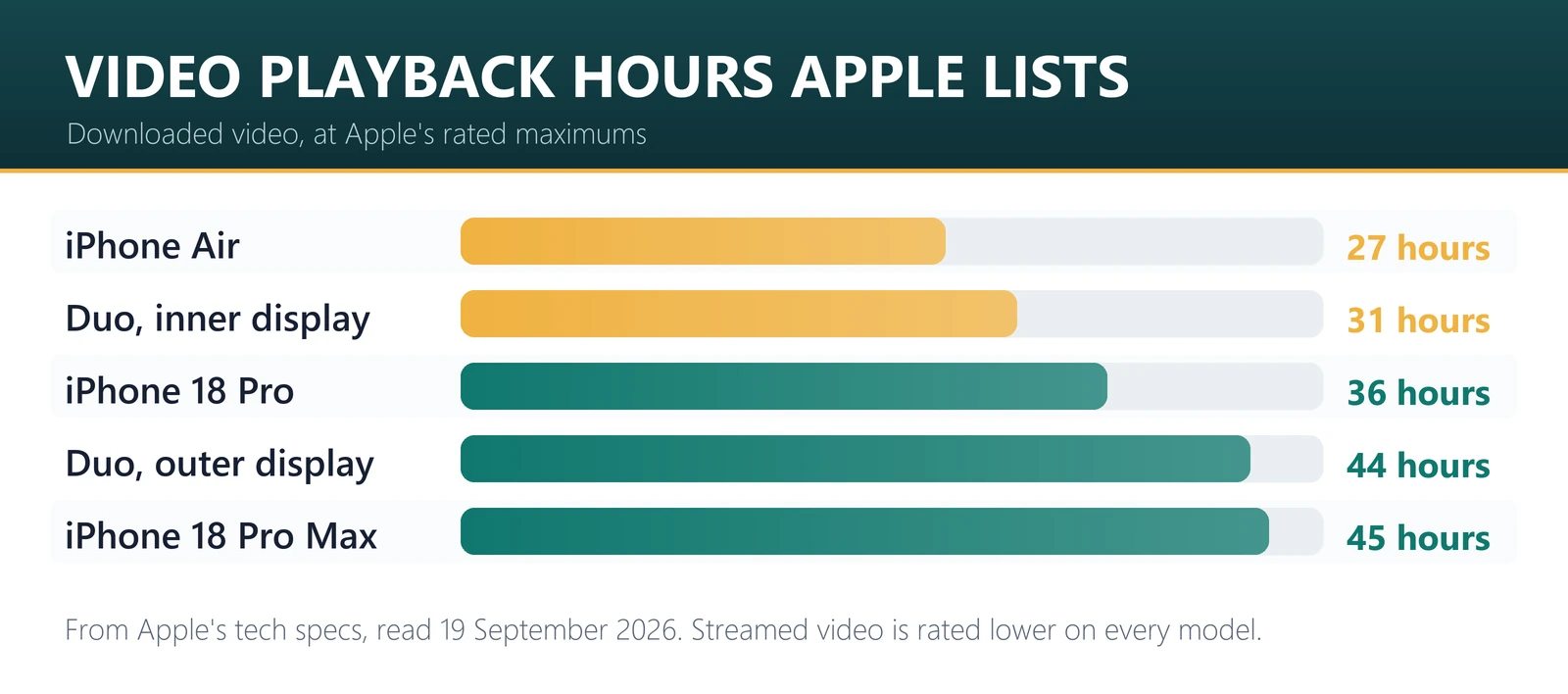
| iPhone 18 Pro | Up to 24 hours | Up to 36 hours | Up to 33 hours |
| iPhone 18 Pro Max | Up to 30 hours | Up to 45 hours | Up to 40 hours |
| iPhone Air | Not listed | Up to 27 hours | Up to 22 hours |
| iPhone Air with MagSafe Battery | Not listed | Up to 40 hours | Up to 35 hours |
Read across the top two rows and the Duo looks like two phones. Folded, it outlasts iPhone 18 Pro by eight hours of video and comes within an hour of iPhone 18 Pro Max. Unfolded, it falls five hours behind iPhone 18 Pro. Apple’s typical-use figure does not split by screen, which is a reminder that these are lab measurements, not your day.
The three levers that matter on a trip
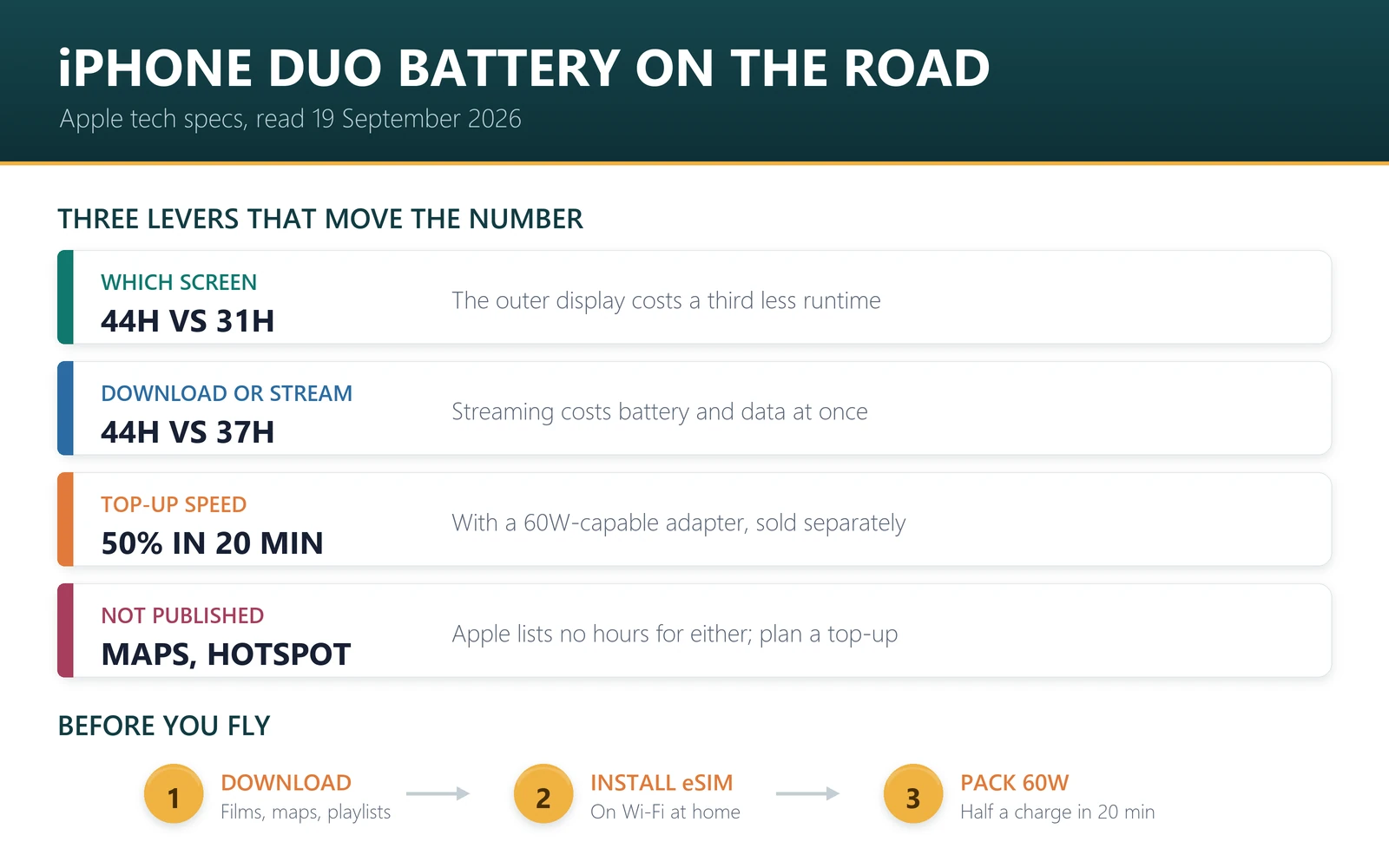
1. Which screen you use. The gap between 44 and 31 hours is the largest single difference in Apple’s Duo numbers. A foldable invites you to open it, but for messages, maps at a glance, boarding passes and music, the outer display does the job and costs a third less runtime. Save the inner screen for the things it is genuinely better at.
2. Downloaded versus streamed. Apple lists 44 hours of video playback against 37 hours streamed on the outer display, and 31 against 26 on the inner one. Streaming costs about 16% of runtime in both cases, because the radio is working. It also costs data, which matters if you are on a travel plan rather than hotel Wi-Fi. Download the series before you fly and you save battery and data at once.
3. How fast you can top up. Apple lists up to 50% in around 20 minutes with a 60W-capable adapter and a USB-C cable, or around 30 minutes with a 35W adapter and a MagSafe Charger, which goes up to 25W. A long layover with the right adapter is worth more than a power bank you never unpack. Note that Apple sells adapters separately, so check what is actually in your bag before the trip.
What Apple’s numbers do not cover
Battery ratings are lab figures for one activity at a time. A travel day is not that. The things that drain a phone abroad are mostly missing from the table: navigation with the screen on, a weak signal that makes the modem work harder, photos and video in bright sunlight at full brightness, and hotspot sharing to a laptop. Apple does not publish hours for any of those, and neither will we, because we have not measured them.
One connection point is worth knowing. A phone hunting for signal uses more power than a phone with a solid connection, which is one practical argument for having a working data plan the moment you land rather than drifting between airport Wi-Fi networks. That is the case for installing a travel eSIM before departure, not a promise about battery life.
A realistic long-haul plan
- Before you leave: download the films, series, maps and playlists you want. Offline maps in particular save both battery and data.
- Install your travel eSIM at home, while you are on Wi-Fi. Installation needs an internet connection, and every iPhone Duo is eSIM-only, so there is no shop-counter fallback with a physical SIM.
- On the plane: stay folded. Apple’s 44-hour figure is the outer-display one, and the phone is easier to hold that way in a cramped seat.
- In transit: use a 60W-capable adapter at the gate if you have one. Twenty minutes is worth half a battery.
- On arrival: turn on the travel data line before you leave the terminal, so the phone stops searching and you have maps outside.
- If you are moving the line from an old iPhone, do it at home too: our eSIM transfer guide covers what Apple supports.
- During the day: keep the inner display for reading, editing and sharing photos, not for checking notifications.
Flying with an iPhone Duo? Because it is eSIM-only, the plan has to be sorted before you land. Browse travel eSIM plans for 190+ destinations, or go straight to Japan, Europe or the US. Our iPhone Duo eSIM-only travel guide covers the setup, and the data usage guide helps size the plan.
Sources
All battery, charging and display figures are from Apple’s tech specs pages for iPhone Duo, iPhone 18 Pro and iPhone Air, read on 19 September 2026. Apple qualifies these as “up to” figures from its own testing, and results vary with settings, environment, signal, usage and battery age. We have not run independent battery tests. Adapters and MagSafe accessories are sold separately.
For comparison with the Pro line, our iPhone Duo versus iPhone 18 Pro Max guide covers the rest of the specifications that matter abroad, and the model numbers guide covers the four versions Apple sells.
Frequently asked questions
How long does the iPhone Duo battery last?
Apple lists up to 44 hours of video playback on the outer display, up to 31 hours on the inner display, and up to 24 hours of typical use. Streamed video is lower: 37 hours on the outer screen and 26 on the inner one.
Does the iPhone Duo have better battery life than iPhone 18 Pro?
On Apple’s video figures, folded yes and unfolded no. The Duo is rated 44 hours on its outer display against 36 hours for iPhone 18 Pro, but only 31 hours on the inner display. Both list 24 hours of typical use.
Does using the inner screen drain the battery faster?
Apple’s own numbers say yes. Video playback is rated at up to 31 hours on the inner display against 44 hours on the outer one, a difference of about a third. For glanceable tasks on a trip, staying folded costs you nothing.
How fast does the iPhone Duo charge?
Apple lists up to 50% in around 20 minutes with a 60W-capable adapter and a USB-C cable, or around 30 minutes with a 35W adapter and a MagSafe Charger. MagSafe wireless charging goes up to 25W. Adapters are sold separately.
Does the iPhone Duo really have two batteries?
Apple’s tech specs list dual built-in rechargeable lithium-ion batteries, which is how a folding phone fits its capacity around a hinge. Apple publishes runtime figures rather than a capacity in milliamp hours, so the hours are the useful comparison.
How much battery does streaming use on the iPhone Duo?
Apple rates streamed video at 37 hours on the outer display against 44 hours for downloaded video, and 26 against 31 on the inner display. That is roughly 16% less runtime, plus the mobile data the stream consumes.
Will a travel eSIM drain my iPhone Duo battery?
An eSIM is a profile, not extra hardware, so it does not add drain by itself. What uses power is the radio: a weak signal makes the modem work harder, which is one reason to have a working data line rather than hunting for open Wi-Fi.
How long does the iPhone Duo last with maps and hotspot running?
Apple does not publish figures for navigation or hotspot use, and we have not measured them, so we will not put a number on it. Both are heavier than video playback, so plan for a top-up during the day rather than an all-day run.
Bottom line
The iPhone Duo battery story is simple once you see Apple’s two sets of numbers: folded it is close to an iPhone 18 Pro Max, unfolded it sits below an iPhone 18 Pro. Stay folded for the ordinary things, download before you fly rather than streaming, carry a 60W-capable adapter, and set up your travel data before you land so the phone is not searching for signal all the way from the gate to the hotel.
Last reviewed 19 September 2026. Battery, charging and display figures are quoted from Apple’s tech specs pages read on that date; Apple describes them as “up to” results from its own testing, and actual life varies with settings, usage and conditions. Apple, iPhone and MagSafe are trademarks of Apple Inc.; this article is independent editorial commentary and is not affiliated with, sponsored by or endorsed by Apple. Illustrations are our own.