
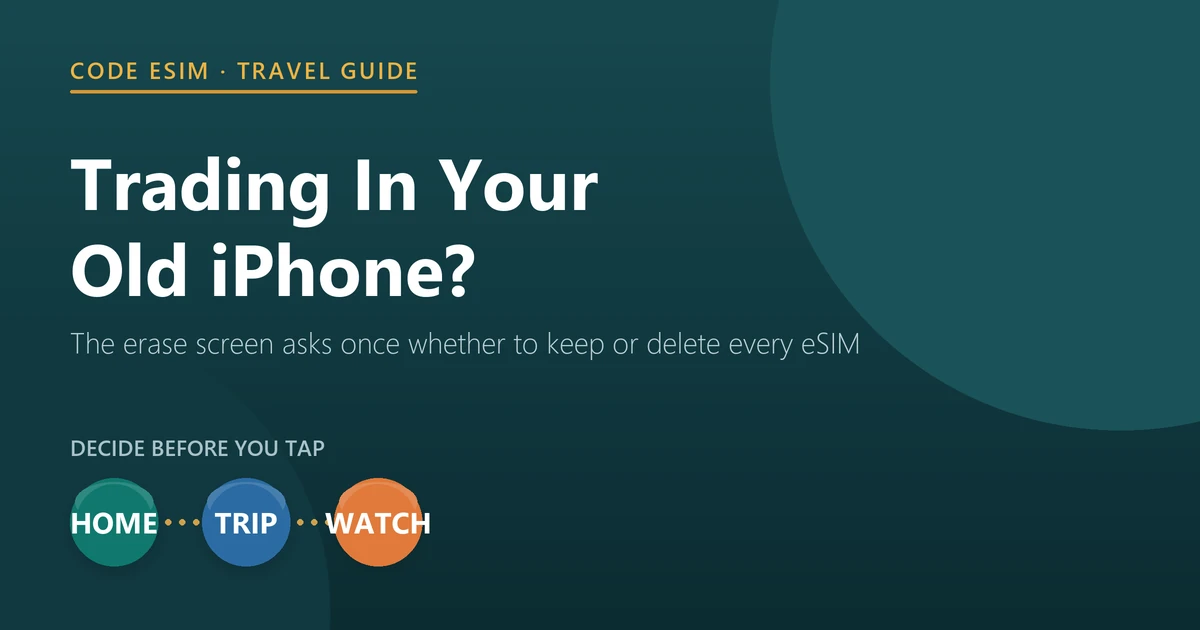
Erasing an iPhone asks you a question most people answer without reading it. In Apple’s factory reset steps, after Erase All Content and Settings, you “choose to keep or delete your eSIM”. Apple’s warning for the wrong choice is blunt: “If you erase your eSIM, you need to contact your carrier to reactivate your cellular plan.”
For a travel eSIM the stakes are different and worse. A travel plan is not your carrier’s line, and most travel eSIM QR codes install only once. Our own rule is the one we publish on our troubleshooting page: each QR code installs once, and a deleted profile cannot be reinstalled from the same code. Support can look at reissuing it, but that is not guaranteed.
So before the old iPhone goes in a trade-in box this month, spend five minutes on its eSIMs. The order below is Apple’s checklist with the eSIM steps put where they belong.
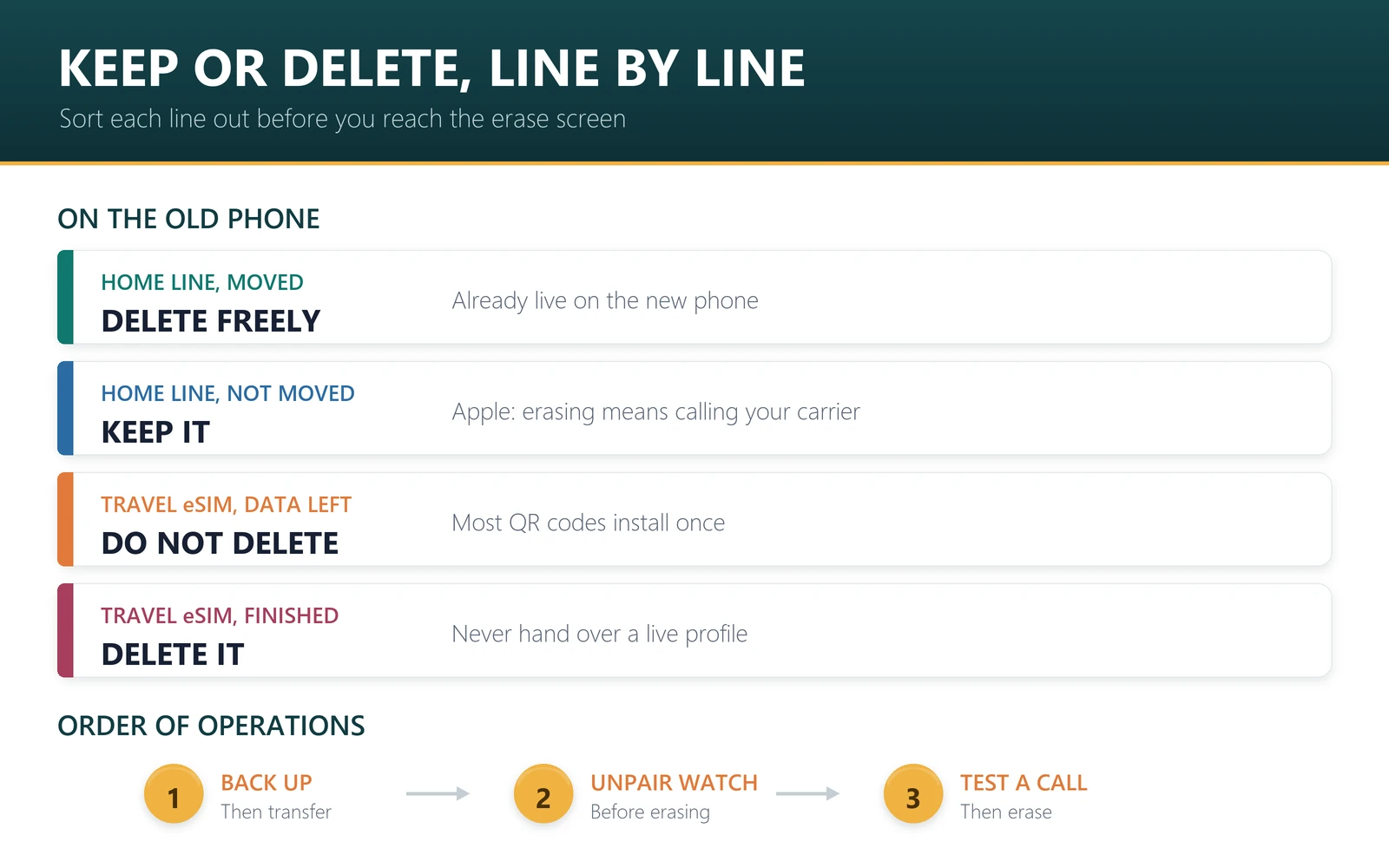
- Home line: move it to the new phone first, then it does not matter what you delete.
- Travel eSIM with data left: do not delete it. Use it, or keep the old phone as a travel phone.
- Travel eSIM finished: delete it, so the buyer does not inherit a live profile.
- Apple Watch: unpair it before erasing the iPhone, per Apple’s checklist.
- Our catalogue, 12 September 2026: 830 plans on sale, 617 can be topped up, and all 830 support hotspot.
The order that avoids losing anything
Apple’s guide to what to do before you sell, give away, or trade in your iPhone sets most of this out. The eSIM decisions slot in at steps 4 and 7.
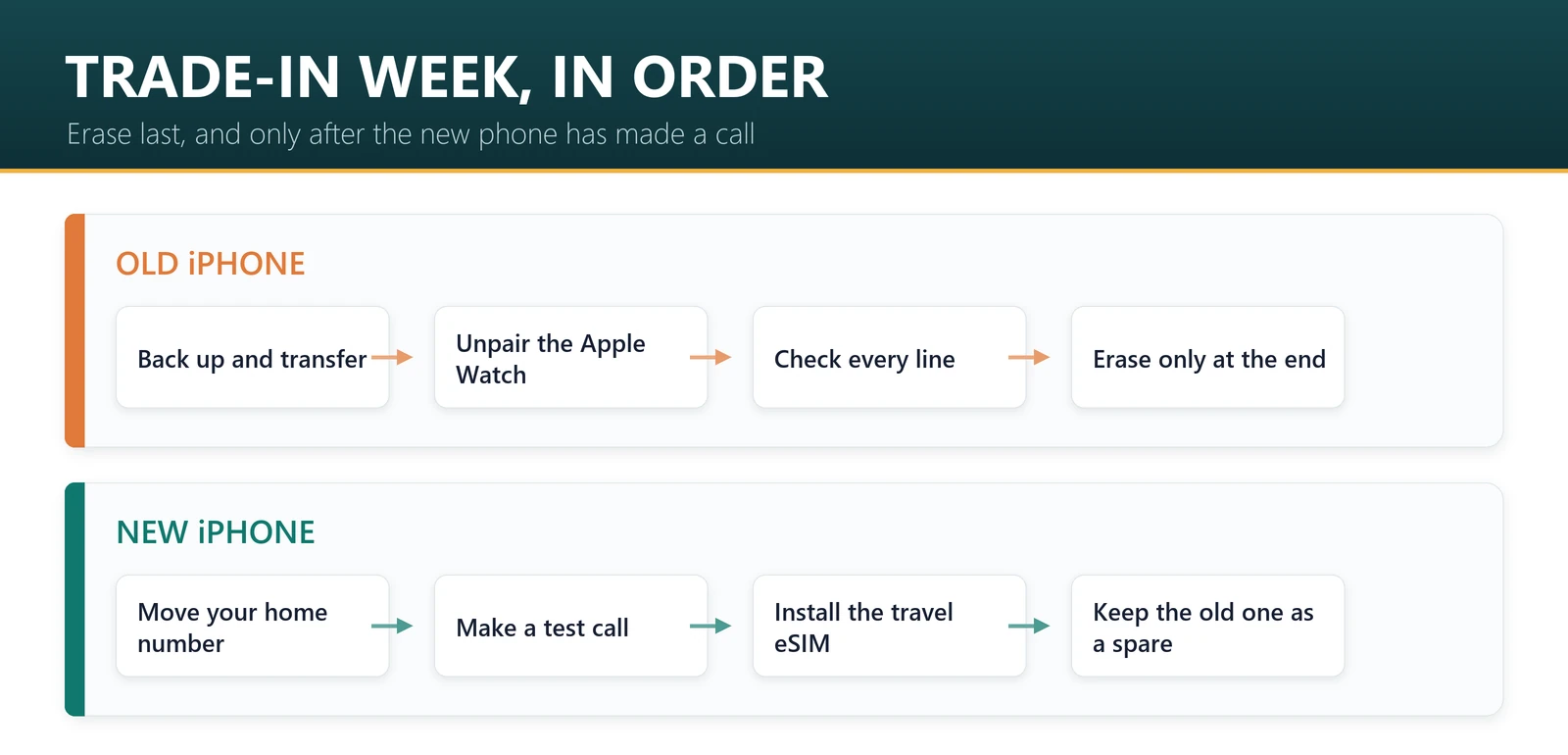
- Back up the old phone to iCloud or a computer.
- Transfer your data to the new phone with Quick Start.
- Unpair your Apple Watch if one is paired with this iPhone. Apple lists this before the erase, and unpairing is also how you free a watch cellular plan for a new watch. What a watch can and cannot do abroad is in our Apple Watch travel guide.
- Check every line in Settings, Cellular. Note which are home lines and which are travel plans, and how much data each travel plan has left. If you are unsure whether a plan has started, when an eSIM starts counting explains what to check.
- Move your home number to the new phone with eSIM Quick Transfer. Apple says activating the plan on the new iPhone deactivates the SIM on the old one. Details in transferring your eSIM to iPhone 18 Pro.
- Sign out of iCloud and, if you are moving to a non-Apple phone, deregister iMessage.
- Erase All Content and Settings, and read the eSIM question when it appears.
- Remove the device from your list of trusted devices.
Do not erase the old phone until the new one has made a successful call. That single habit prevents the worst version of this: no working line on either phone, on the day you need one.
Keep or delete? A decision table
The erase screen offers one choice for the whole device, so decide per line first and clean up the ones you do not want before you get there.
| What is on the old phone | Before you erase | Why |
|---|---|---|
| Home line, already moved to the new phone | Nothing to protect; delete freely | The line is live on the new phone and deactivated here |
| Home line, not yet moved | Keep the eSIM until the transfer is done | Apple: erasing it means contacting your carrier to reactivate |
| Travel eSIM with data remaining | Do not delete. Use it up, or keep the phone | Most QR codes install once; a deleted profile is usually gone |
| Travel eSIM bought but never installed | Nothing on this phone. Install it on the new one | The one install is still unused |
| Travel eSIM expired or used up | Delete it | Otherwise the next owner receives your leftover profile |
| Work or second line you still need | Transfer it first; iPhone holds two active eSIMs | Apple supports transferring more than one number from iOS 26 |
Upgrading before a trip? Buy the travel plan for the phone you will actually carry. Browse plans by destination — the US, Europe, Japan — and check the activation line before you pay.
The better option: keep it as a travel phone
Trade-in value for an old iPhone is rarely life-changing, and a spare phone solves several travel problems at once. Ours is the unglamorous case for keeping it.
- It carries the risk. A phone that gets lost, soaked or stolen on a trip is better as the old one than the one you bought last week.
- It takes the battery hit. Navigation, tethering and photos all day drain a phone; your main phone stays charged for boarding passes and bank codes.
- It can carry the travel eSIM. With a plan installed there, your main phone keeps only your home line, and the two jobs stop competing.
- It works as a hotspot. All 830 plans in our catalogue support hotspot, so a laptop or tablet can share the same plan, and running out of data simply stops the connection rather than billing you.
- It is a backup. If the new phone fails abroad, a second unlocked handset is the fastest fix there is.
Two conditions make this work: the old phone must be carrier-unlocked, which you can check in Settings, General, About under Carrier Lock, and it must still get security updates. Our eSIM support checklist and compatibility page cover the rest. If you are travelling with both, keep the home line on the new phone and the travel plan on the old one, then use the dual-line setup we describe here.
What the next owner should not receive
An installed travel eSIM is a live prepaid data plan. If you hand over a phone with one still on it and any data left, whoever ends up with that handset can use it, and you cannot get it back. Deleting a finished profile before the erase is the tidy fix.
The same applies to a home line you have not moved. Apple’s erase flow asks once for the device, so a hurried tap can either strand your carrier line or leave it installed on a phone you no longer own. Read that screen.
Sources, and what this cannot tell you
The erase steps and the eSIM prompt are from Apple’s article on how to factory reset your iPhone and its checklist for selling or trading in a device, both read on 12 September 2026. The one-install rule for travel eSIM QR codes is our own published policy on our troubleshooting page; other providers set their own, so check theirs before deleting anything.
We cannot tell you whether your carrier will reactivate a deleted eSIM free of charge, what your phone is worth in trade-in, or whether a specific travel provider will reissue a profile. Catalogue figures are our counts of the 830 plans on sale at codeesim.com on 12 September 2026.
Frequently asked questions
Should I delete my eSIM before trading in my iPhone?
Delete it only after the line is safely elsewhere. Move your home number to the new phone first, then erase. Apple warns that erasing an eSIM means contacting your carrier to reactivate the plan, and a travel eSIM usually cannot be reinstalled at all.
What happens to my travel eSIM when I erase my iPhone?
If you choose to delete eSIMs, the travel profile goes with it. Most travel eSIM QR codes install only once, so the remaining data is usually lost. If a plan still has data and days left, use it before the upgrade or keep the old phone for that trip.
Does Apple’s erase screen really ask about eSIMs?
Yes. In Apple’s factory reset steps, after you tap Erase All Content and Settings and Continue, you choose to keep or delete your eSIM, then enter your passcode and Apple Account password. It is one choice for the whole device, so sort out individual lines beforehand.
Can I reinstall a travel eSIM I deleted by mistake?
Usually not. Scanning the same QR code again will not bring it back. Contact support with your order number and ask whether a reissue is possible; with us that is a case-by-case answer, not a guarantee, which is why we tell customers not to delete a profile until the trip is over.
Do I need to unpair my Apple Watch before trading in my iPhone?
Yes. Apple’s checklist lists unpairing your Apple Watch before you erase the iPhone it is paired with. Unpairing also gives you the chance to remove the watch’s cellular plan, which is what you want before moving it to a new phone or watch.
Is it better to keep my old iPhone as a travel phone?
Often, yes. A spare unlocked phone carries the risk of loss, takes the battery drain of maps and tethering, and can hold the travel eSIM while your main phone keeps your home number. All 830 plans we sell support hotspot, so a spare phone can also feed a laptop.
Will erasing my iPhone cancel my travel data plan?
Erasing removes the profile from the device; it does not cancel or refund anything with the provider. The plan continues on its own schedule, which for most of ours is 30 days from activation, so a deleted profile means paying for data you can no longer reach.
What order should I do everything in?
Back up, transfer your data, unpair your Apple Watch, note every line, move your home number, confirm the new phone makes a call, sign out of iCloud, then erase and answer the eSIM question. Finally, remove the old device from your trusted devices list.
Bottom line
The upgrade itself is easy; the lines on the old phone are what people lose. Move the home number before you erase, never delete a travel profile that still has data, and clear out the finished ones so they do not travel on to the next owner. And before you accept a trade-in quote, price it against what an unlocked spare phone is worth on your next trip, when the new one is in a hotel safe and the old one is in your hand.
Last reviewed 12 September 2026. Apple’s erase and trade-in steps are from Apple support documentation read on that date and subject to change. Apple and iPhone are trademarks of Apple Inc.; this article is independent editorial commentary and is not affiliated with, sponsored by or endorsed by Apple. Illustrations are our own.