
iPhone Duo runs two eSIM lines at the same time and stores eight or more profiles, so your home number can keep ringing while a travel plan carries the data. Apple lists the Duo as dual eSIM with two active eSIMs in every market, and it is not compatible with physical SIM cards, so this is not one option among several: it is how you get two numbers on this phone.
The setup takes about five minutes and three decisions: which line is your default, which line carries cellular data, and whether the phone is allowed to switch between them. Get those right before you fly and the phone behaves itself abroad. Get them wrong and you either miss verification codes or come home to a roaming bill.
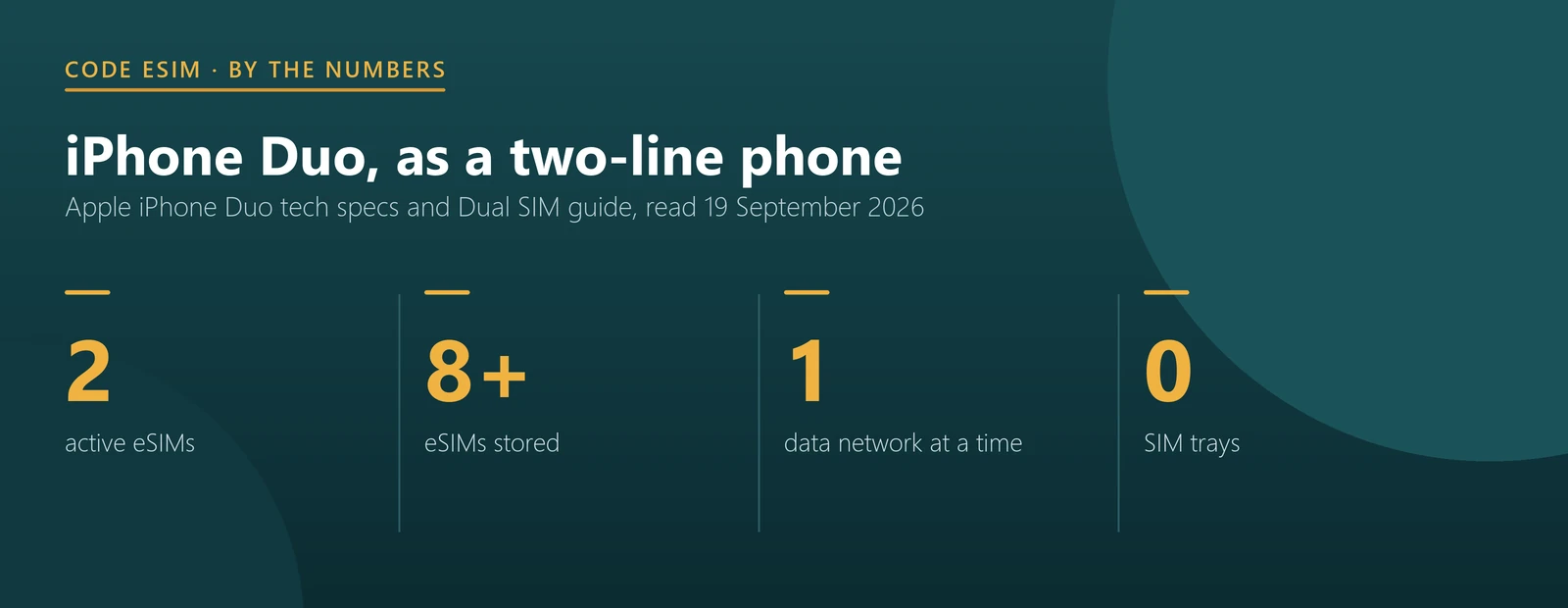
- Two active lines: both numbers can take calls and messages; one carries data at a time.
- Eight or more stored: old travel plans stay on the phone until you delete them.
- China mainland version: stores two eSIMs, not eight or more.
- No tray, anywhere: there is no physical SIM fallback on any iPhone Duo.
- Install at home: adding an eSIM needs an internet connection.
What Apple’s two-line setup actually gives you
Apple’s dual SIM guide is explicit about what runs in parallel and what does not. Both numbers can make and receive voice and FaceTime calls, and send and receive iMessage, SMS and MMS. But, in Apple’s words, your iPhone “can use one cellular data network at a time”. That single sentence explains most of the confusion travellers have with two lines.
| What you want | On iPhone Duo | Where you set it |
|---|---|---|
| Keep your home number reachable | Yes, as the second active line | Cellular, then your home plan, turn it on |
| Use travel data without roaming charges on the home line | Yes, choose the travel eSIM for data | Cellular Data, pick the travel line |
| Receive bank codes on the home number abroad | Yes, as long as that line is on | Keep the line enabled; SMS needs coverage |
| Two data connections at once | No, one at a time | Apple’s limit, not a setting |
| Let the phone fall back to the other line for data | Yes, if you allow it | Allow Cellular Data Switching |
| Store plans for later trips | Eight or more, two on the mainland China version | They stay listed under Cellular |
The row worth reading twice is the last-but-one. Allow Cellular Data Switching lets the phone use your other line for data when the chosen one is unavailable. That is convenient at home and expensive abroad, because the other line is usually your home carrier, roaming. Most travellers should turn it off for the trip.
The setup, in order
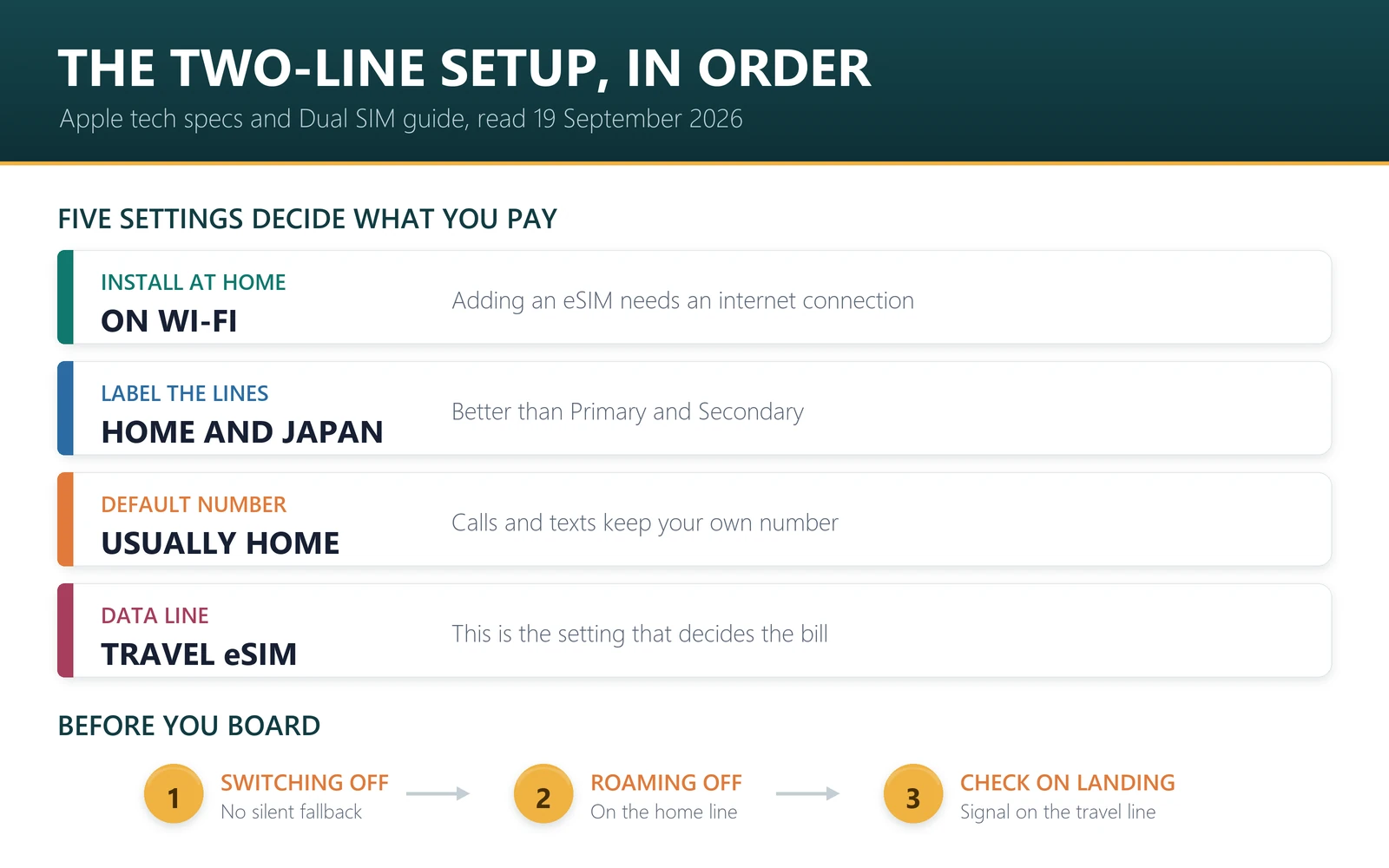
- 1. Install the travel eSIM at home, on Wi-Fi, before you fly. Every iPhone Duo is eSIM-only, so there is no buying a local SIM at the airport as a backup.
- 2. Label both plans. Apple suggests labels such as Personal and Business; for travel, the country works better: Home and Japan beats Primary and Secondary when you are half asleep at immigration.
- 3. Set your default number. This is the line the phone uses for calls and messages unless you pick the other one. Most people keep their home number here.
- 4. Choose the data line. Set cellular data to the travel eSIM. This is the setting that decides what you pay for.
- 5. Turn off Allow Cellular Data Switching for the trip, so the phone cannot quietly move data back to your home line.
- 6. Turn off data roaming on the home line if you only want it for calls and texts.
- 7. Check on arrival: the travel line should show signal and the status bar should show the network you expect before you leave the terminal.
Eight or more stored plans, and why that matters
Apple says iPhone Duo stores eight or more eSIMs even though only two can be active. In practice that means last year’s Japan plan, the Europe plan from the summer and the one you bought for a conference all stay on the phone. You switch which two are active rather than reinstalling anything.
Two cautions. First, a used-up travel plan is not the same as a reusable one: whether a plan can be topped up depends on the plan, so check before you rely on an old profile for a new trip. Second, do not delete a profile casually. Many eSIM QR codes install once, and getting a line back can mean contacting the provider, or in the mainland China case, visiting a carrier store.
The mainland China version is the exception to the storage figure. Apple says an iPhone bought in China mainland stores two eSIMs, and if both are in use you need to delete one before adding a travel plan abroad. Our iPhone Duo in China and Hong Kong guide covers those rules, and the model numbers guide shows which version you have.
Two lines, three common trips
| Situation | Default number | Data line | Notes |
|---|---|---|---|
| Two weeks in Japan, home number for codes | Home line | Travel eSIM | Data roaming off on the home line |
| Work trip, colleagues call the work number | Work line | Travel eSIM | Label lines by role, not by country |
| Multi-country trip across a region | Home line | Regional eSIM | One plan across the region beats swapping at each border |
For the third case, a regional plan avoids juggling a new profile in every country; our guide on whether one eSIM works in multiple countries explains when that is the cheaper choice. If you would rather keep your usual number visible for calls, the dual SIM guide covers the trade-offs.
Setting up your Duo for a trip? Browse travel eSIM plans for 190+ destinations, or go straight to Japan, Europe, the US or China. Install before you fly, then switch the data line on when you land.
A travel line for the second slot
The setup above leaves one active slot for a travel plan. These are the ones people most often put there. All of them start counting on first use at your destination — first data use or first network connection, depending on the plan — rather than at purchase, so they can sit in the slot from before you fly. Prices are from our catalogue on 23 September 2026 and move daily.
| Destination | Plan | Price |
|---|---|---|
| Japan | 10 GB / 15 days | $7.40 |
| Europe | 10 GB / 30 days | $7.54 |
| Thailand | 10 GB / 30 days | $7.00 |
| Turkey | 12 GB / 30 days | $8.20 |
| USA | 10 GB / 30 days | $9.00 |
With two lines active, one setting decides whether your home line can quietly use data abroad: cellular data switching. It is covered, with the other three settings that matter, in can a travel eSIM trigger roaming charges on your main line.
Sources, and what this cannot tell you
The Duo’s SIM configuration is from Apple’s iPhone Duo tech specs, and the dual-line behaviour and settings from Apple’s Using Dual SIM with an eSIM guide, both read on 19 September 2026. The China mainland storage limit is from Apple’s mainland eSIM article, published 9 September 2026.
What we cannot tell you is how your home carrier behaves. Whether your number keeps working abroad, what roaming costs, and whether your plan allows a second line are your carrier’s rules, not Apple’s and not ours. Check with them before the trip, especially if you rely on SMS codes from a bank.
Frequently asked questions
Can iPhone Duo use two eSIMs at once?
Yes. Apple lists iPhone Duo as dual eSIM with two active eSIMs, so two lines can take calls and messages at the same time. Only one of them carries cellular data at any moment, and you choose which one in Settings.
How many eSIMs can iPhone Duo store?
Apple says eight or more, with two active. Old travel plans stay on the phone and you switch which two are in use. A Duo bought in China mainland is the exception: Apple says it stores two eSIMs.
Can I keep my home number while using a travel eSIM?
Yes, that is the usual setup. Keep the home line active as your default number for calls and texts, and set the travel eSIM as the data line. Your home carrier still decides what roaming for calls or texts costs.
What is Allow Cellular Data Switching and should I turn it off?
It lets the phone use your other line for data when the chosen line is unavailable. At home it is convenient; abroad it can move data onto your roaming home line. For most trips, turning it off for the duration is the safer setting.
Does iPhone Duo have a SIM tray as a backup?
No. Apple lists every iPhone Duo as eSIM-only and says it is not compatible with physical SIM cards. That applies in all four versions Apple sells, so plan your data before departure rather than counting on an airport SIM counter.
Can I install a travel eSIM after I land?
Installing needs an internet connection, so you would be relying on airport or hotel Wi-Fi. It is safer to install at home on Wi-Fi and simply switch the line on after arrival, which also gets you online outside the terminal.
Will two active lines drain the battery faster?
Apple does not publish figures for one line versus two, so we will not invent one. What does use power is a weak signal, because the modem works harder, which is an argument for having a working plan rather than hunting for open networks.
Can I use one line for data and the other for a hotspot?
No. Personal Hotspot shares whichever line is carrying cellular data, and Apple says the phone uses one data network at a time. Check whether your travel plan allows hotspot use before relying on it for a laptop.
Bottom line
On iPhone Duo, two lines is the normal configuration rather than a trick: two active eSIMs, eight or more stored, and no tray to fall back on. Install the travel plan at home, label the lines so you can tell them apart, keep your home number as the default for calls, point cellular data at the travel line, and switch off cellular data switching until you are back. That is the whole setup.
Last reviewed 19 September 2026. SIM configuration, storage limits and dual-line behaviour are quoted from Apple’s iPhone Duo tech specs and support articles read on that date, and can change. Carrier rules on roaming, second lines and SMS delivery are set by your carrier. Apple, iPhone and FaceTime are trademarks of Apple Inc.; this article is independent editorial commentary and is not affiliated with, sponsored by or endorsed by Apple. Illustrations are our own.