
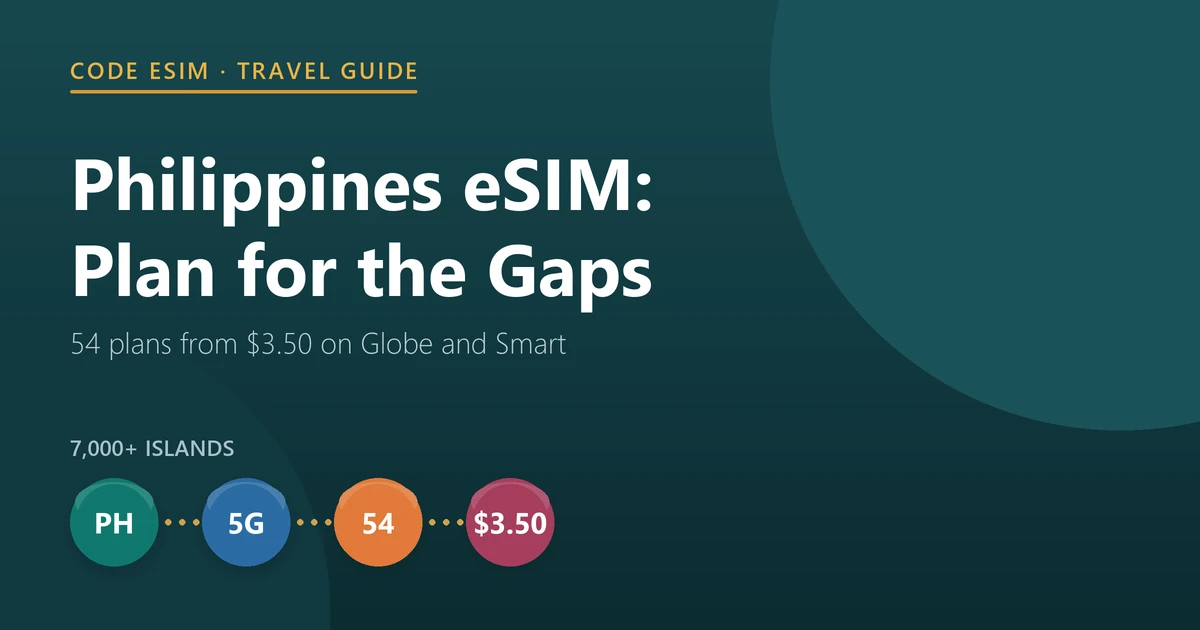
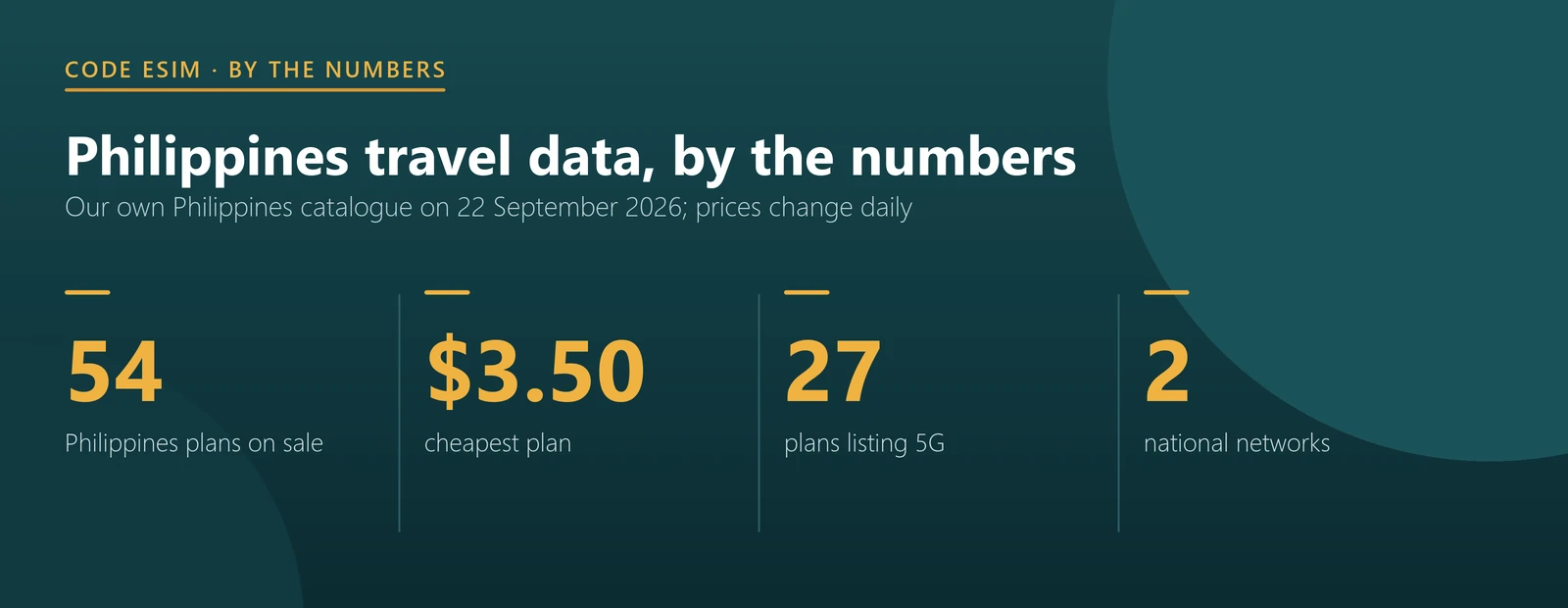
For two weeks in the Philippines, most travellers need 10–20 GB, and a travel eSIM lands on Globe or Smart — the two networks that carry almost all mobile traffic in the country. Our catalogue has 54 Philippines plans as of 22 September 2026, starting at $3.50, with 27 of them offering 5G where the network provides it.
The Philippines is an archipelago of more than seven thousand islands, and that single fact drives everything about connectivity here. Coverage is not one thing. Metro Manila, Cebu City and Davao have dense 4G and increasingly 5G. Ferry routes, small islands and the interiors of larger ones do not. A plan that performs beautifully in Bonifacio Global City can drop to nothing on the boat to El Nido.
- Two weeks for most people: 10–20 GB. Filipinos are among the world’s heaviest social media users and visitors tend to follow suit.
- Networks: Globe or Smart, depending on the plan. These two dominate the market.
- Prices: from $3.50, with plans up to 40 GB and up to 365 days.
- 5G: 27 of our 54 Philippines plans include it — half the range, concentrated in the cities.
- No unlimited: none of our Philippines plans are unlimited, so size this one deliberately.
How much data do you need in the Philippines?
Size the plan from behaviour, not fear. A normal tourist uses 500 MB to 1 GB a day, but the Philippines pushes that up. Messaging here runs on Messenger and Viber rather than SMS, including with hotels, boat operators and tour guides — so your communications are data, not texts. Add photo and video uploads from island days and the daily figure climbs.
| Trip length | Light: resort Wi-Fi at night | Normal tourist | Heavy: video, hotspot, working |
|---|---|---|---|
| 1 week | 3–5 GB | 5–10 GB | 15–20 GB |
| 2 weeks | 5–10 GB | 10–20 GB | 30–40 GB |
| 1 month | 10–20 GB | 20–30 GB | 40 GB |
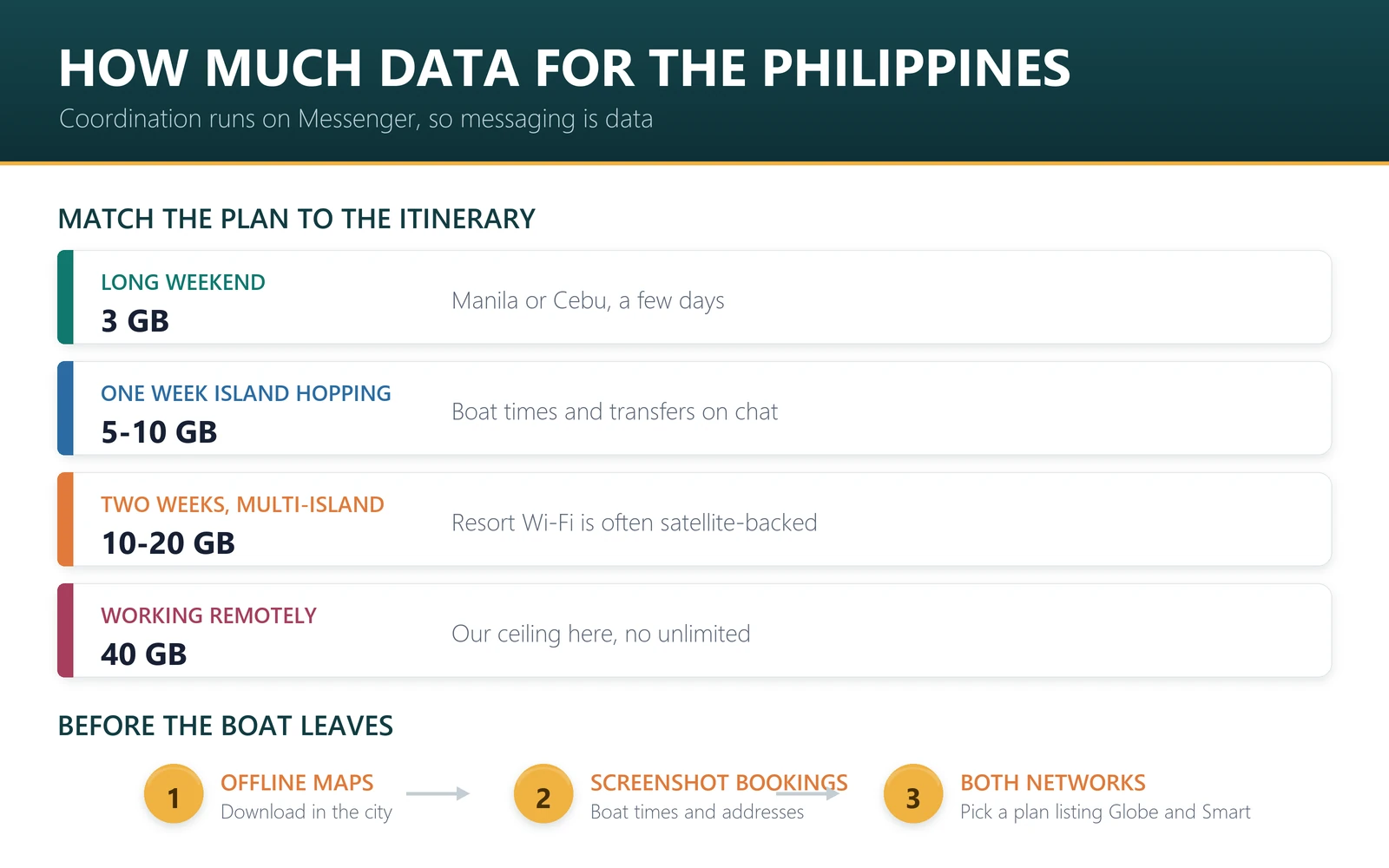
Add roughly 30% margin, and remember there is no unlimited safety net in our Philippines range — 40 GB is the ceiling. Resort Wi-Fi on smaller islands is often satellite-backed, shared and slow, so do not plan to offload onto it the way you would in Singapore. If you do run out, you can top up an active eSIM without reinstalling anything.
Ready to sort it out? Compare Philippines eSIM plans — 54 of them, from $3.50 — or see regional Asia plans if the Philippines is one stop on a longer trip.
Which Philippine network will you land on?
Two networks matter here, and unusually for this series, they are close to a duopoly.
| Network | Tech | Share of our Philippines plans |
|---|---|---|
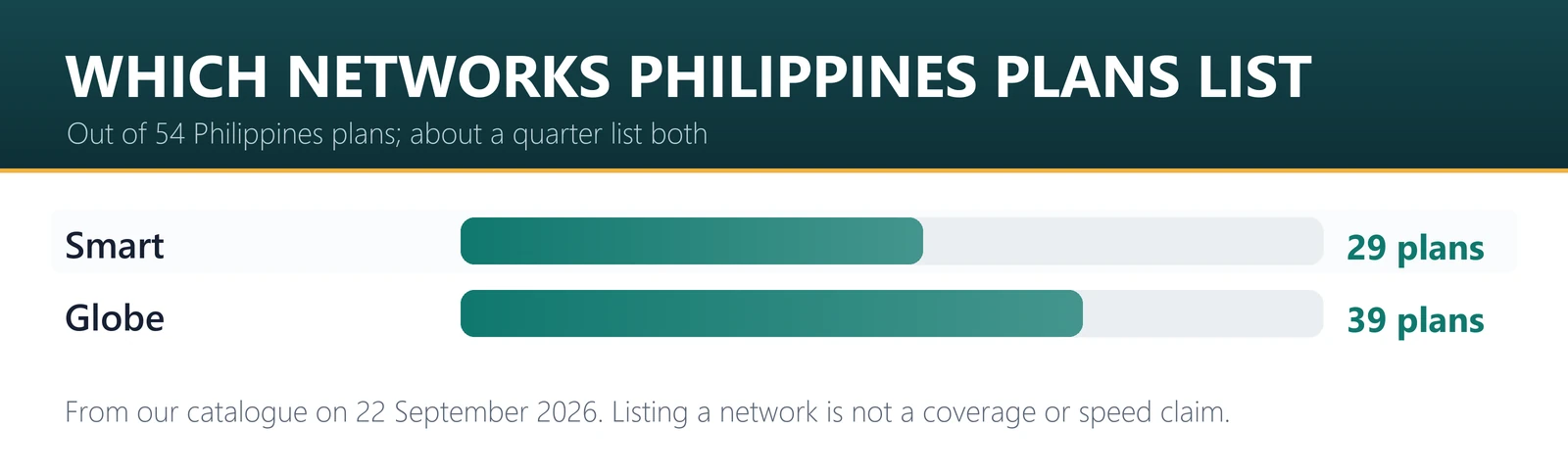
| Globe | 5G | 39 of 54 plans (72%) |
| Smart | 5G | 29 of 54 plans (54%) |
Globe and Smart have each built out different parts of the archipelago, and neither is uniformly better. Travellers report Smart performing well in parts of Palawan and Mindanao, and Globe performing well in Luzon and much of the Visayas, but it varies island by island and resort by resort rather than following a clean regional rule.
The practical conclusion is different from other destinations: prefer a plan that lists both networks. Roughly a quarter of our Philippines plans do, and on a trip that touches several islands, being able to select whichever network has a tower nearby is worth more than any speed claim. Each plan page lists its networks, so check before paying — for example the 10 GB / 30 day TSimTech plan states its networks and activation policy on the page itself.
The island problem, stated honestly
This is the section that matters more here than anywhere else in this series.
On smaller islands and along ferry routes, there are stretches with no usable mobile signal from any operator. That is not a limitation of travel eSIMs — a local Globe or Smart SIM hits the same dead zones, because the towers are not there. Anyone promising seamless coverage across the whole archipelago is selling you something.
What to do about it is practical rather than technical. Download offline maps before you leave a city. Screenshot your boat times, resort address and booking references rather than relying on pulling them up later. Coordinate island transfers while you still have signal. And if your work genuinely cannot tolerate a few hours offline, choose your islands accordingly rather than choosing your data plan more expensively.
Typhoon season runs roughly June to November, and severe storms can take down power and mobile service regionally for days. No connectivity product changes that either. Build slack into ferry and flight connections in those months and keep an eye on PAGASA advisories.
When you should not buy a travel eSIM
If you are staying a month or more, or you need a Philippine number for local deliveries, GCash or domestic bookings, buy a local Globe or Smart SIM. They are cheap, available in malls and at airports, and a local number solves things a data-only plan cannot.
For the common case — one to three weeks of island hopping where you need maps, Messenger, ride-hailing in the cities and the ability to confirm a boat — the eSIM is simpler, and your own number stays reachable the whole time.
Choosing a plan by trip type
| Trip | What to buy | Why |
|---|---|---|
| Short stop or stopover | 1 GB / 7 days | Maps and messages for a few days in Manila or Cebu. |
| Long weekend | 3 GB / 5 days | Sized for the trip rather than a month you will not use. |
| One week, island hopping | 5 GB / 15 days | Covers coordination on Messenger plus daily navigation. |
| Two weeks, multiple islands | 10 GB / 30 days | The standard Philippines trip, with margin for slow resort Wi-Fi. |
| Heavy use or a month | 20 GB / 30 days | Comfortable for uploads and long stays. |
| Working remotely | 30 GB / 30 days | Hotspot a laptop. Our ceiling for this destination is 40 GB. |
If Bali or wider Southeast Asia is on the same trip, compare a regional plan against separate country plans — the Indonesia and Bali guide covers that leg, and the arithmetic often favours the regional option.
How to install and activate
Buy before you fly, install on home Wi-Fi, and leave the profile switched off until you land. Installation needs internet; activation does not.
iPhone: open the QR code email on a second screen, then Settings → Cellular → Add eSIM → Use QR Code. Keep your home line as the default for calls and texts, and switch mobile data to the travel plan after landing.
Android: Settings → Network & internet → SIMs → Add eSIM, then scan the same code. Samsung, Pixel and Xiaomi word it slightly differently; the flow is the same.
Install before you fly for a specific Philippines reason: if your first move after landing is a domestic connection to Palawan or Siargao, you want data working in the terminal, not a QR code you cannot download. Most of our Philippines plans start counting validity on first data use rather than at purchase, so installing early does not burn days — each plan page states its policy. Your own number stays reachable on your primary SIM, which is the main reason to use a travel eSIM rather than swapping to a local SIM. Confirm the phone is carrier-unlocked and eSIM-capable on our compatibility list first, and if something does not connect, the troubleshooter covers the usual causes.
Frequently asked questions
Does an eSIM work on Philippine islands like Palawan and Siargao?
In the towns and resort areas, generally yes. On remote stretches and some ferry routes, there is no usable signal from any operator, including local SIMs. Download offline maps and confirm transfers while you still have coverage.
Globe or Smart — which is better?
Neither is uniformly better; it varies island by island. For multi-island trips, choose a plan that lists both networks so the profile can select whichever has a tower nearby. Around a quarter of our Philippines plans list both.
How much data do I need for two weeks in the Philippines?
Most travellers land between 10 and 20 GB. Coordination with hotels and boat operators happens on Messenger and Viber rather than SMS, so messaging consumes data here in a way it does not everywhere.
Do you have unlimited plans for the Philippines?
No. Our Philippines range tops out at 40 GB. If you need genuinely unlimited data for a long stay, a local Globe or Smart package will serve you better — that is an honest limit of what we sell here.
What happens during typhoon season?
Severe storms can take down power and mobile service regionally for days, and no connectivity product prevents that. Season runs roughly June to November. Build slack into connections and follow official weather advisories during those months.
Can I use it for hotspot?
Most of our Philippines plans support hotspot sharing, and each plan page states it in the plan details table. Tethering a laptop consumes several times what a phone does, so size up if you plan to work from the islands.
When does the validity period start?
On most of our Philippines plans, on first data use rather than at purchase, so you can install days ahead. Each plan page states its activation policy, so check there rather than assuming.
Plan counts, prices and network shares here are from our own catalogue on 22 September 2026. Prices move daily with supplier pricing, so the figures are a snapshot and the Philippines plans page is the live version. Coverage varies by island and by operator build-out; treat network listings as what the plan can connect to, not a guarantee of signal at a specific beach.
The Philippines rewards travellers who plan for the gaps rather than pretending they do not exist. Buy a plan that lists both networks, size it for Messenger rather than sightseeing, and download the map before you get on the boat.